# Php Artisan Tinker
Laravel artisan's tinker is a repl (read-eval-print loop). A repl translates to read-eval-print-loop, and it is an interactive language shell. It takes in a single user input, evaluates it, and returns the result to the user.
# Database Setup: Running Migrations
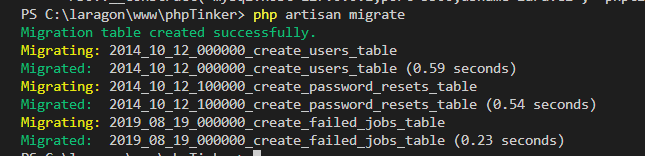
After installing our demo Laravel project, we need to create a database and setup migrations. For this article we will be using the default Laravel migrations. So we configure our .env file to point to the database you created for this test. The default migrations include creating a users table and a password_resets table.
From the root of the project, run
php artisan migrate
After migrating our database, we should see something similar to
# Seeding our Database
By default, Laravel provides a model factory that we can use to seed our database. Now lets begin to tinker with our application.
From the root of the Laravel project, run the following command.
php artisan tinker
This command opens a repl for interacting with your Laravel application. First let's migrate our database. While in the repl, we can run our model factory and seed our database.
factory(App\User::class, 10)->create();
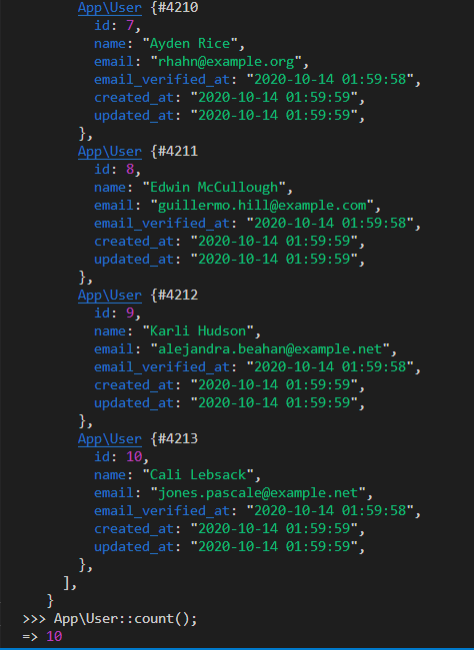
A collection of ten new users should show up on your terminal. We can then check the database to see if the users were actually created.
App\User::all();
To get the total number of users in our database, we can just call count on the User model.
App\User::count();
After running App\User::all() and App\User::count(), mine looks like this. You should get something similar to mine only difference being the data generated.
# Creating a New User
From the repl, we can create a new user. You should note that we interact with this repl just like you would write code in your laravel application. So to create a new user, we would do
$user = new App\User;
$user->name = "Athira";
$user->email = "athira@gmail.com";
$user->save();
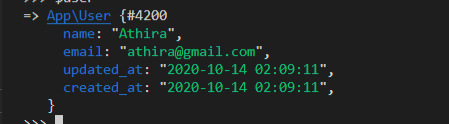
Now we can type $user to the repl and get something like this.
# Deleting a User
To delete a user, we can just do
$user = App\User::find(1);
$user->delete();
# Reading a Function/Class Documentation
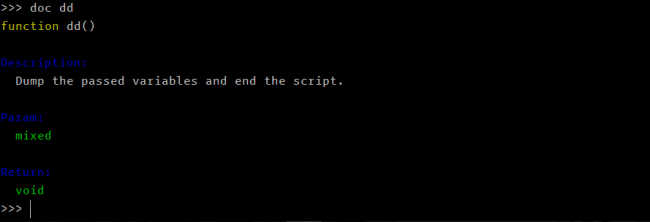
With tinker, you can checkout a class or function documentation right from the repl. But it depends on the class or function having DocBlocks.
doc <functionName> # replace <functionName> with function name or class FQN
Calling doc on dd gives us this.
# Checking Source
We can also check out a function or class source code while in the repl using
show <functionName>
For example, calling show on dd give us this.

# Conclusion
Laravel Tinker is a tool that can help us easily interact with our application without having to spin up a local server. Think of a simple feature you want to test in a couple of lines you'd delete from your project, use tinker instead.